
Spond

Starting in Fall 2026, Vipers is using the Spond app as our main communication app (instead of RAMP Mobile). It is easier for families to see schedules, practice updates, club announcements, and all the key information needed to stay connected with your team.
With Spond, you can also synchronize events to your phone’s calendar, iCal (iOS) or Google Calendar (Android).
Groups in Spond work like “Club” teams. Athletes and parents can join as many groups as they need, and each group they join controls the updates, notifications, and event details they receive.
See the Spond User Guide below.
Download and use for free:




Team Suits
Our custom team suits prices include taxes and shipping. They’re made from durable double‑layer polyester and should fit snugly.
We usually have a range of suit sizes available to try on and purchase during September and January. If you missed those opportunities, please email our volunteer at fundraising@vancouverwaterpolo.com and we’ll arrange a time for you to try on a suit.
You can order a suit anytime by completing the Vipers Suit Order Form.
If your size isn’t currently in stock, it will be added to the next bulk order. Orders are placed twice a year (September and January) and typically arrive within 4–5 weeks.
Three suit styles are available.
Speedo Briefs
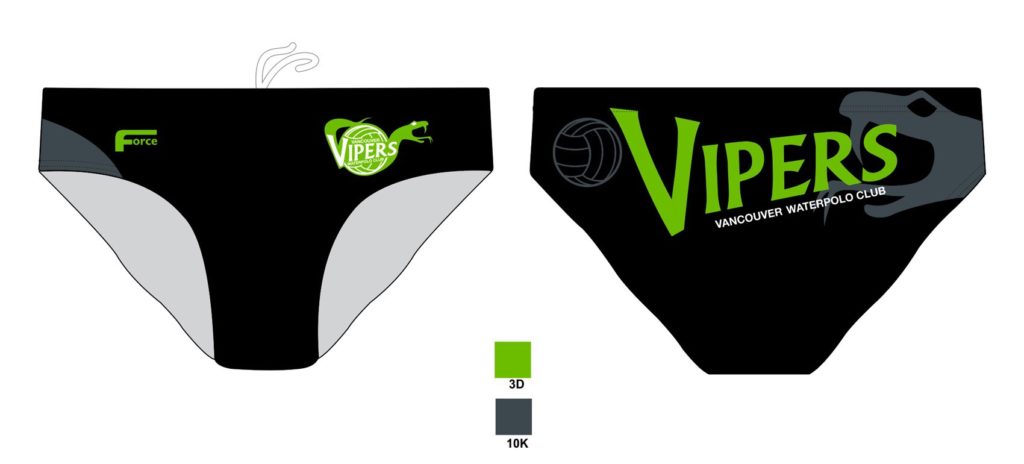
Speedo briefs sizing chart
| hips in cm | 66 | 71 | 76 | 79 | 84 | 89 | 94 | 99 | 104 | 109 | 114 |
| size | 4XS | 3XS | 2XS | XS | S | M | L | XL | 2XL | 3XL | 4XL |
Jammers
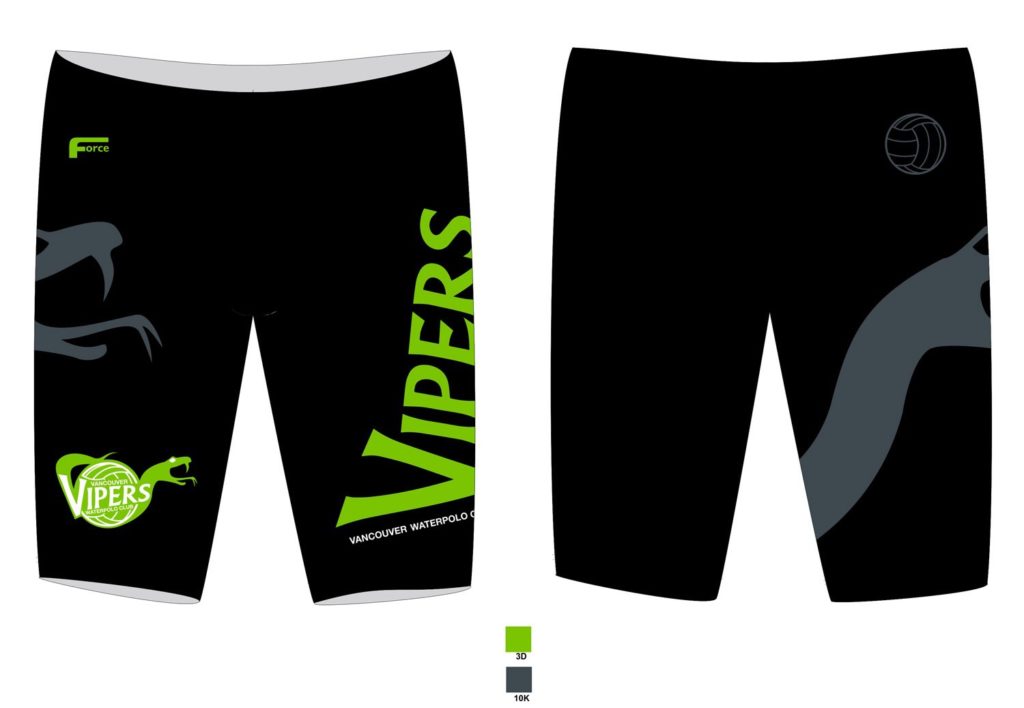
Jammers sizing chart
| hips in cm | 66 | 71 | 76 | 79 | 84 | 89 | 94 | 99 | 104 | 109 | 114 |
| size | 4XS | 3XS | 2XS | XS | S | M | L | XL | 2XL | 3XL | 4XL |
One-piece
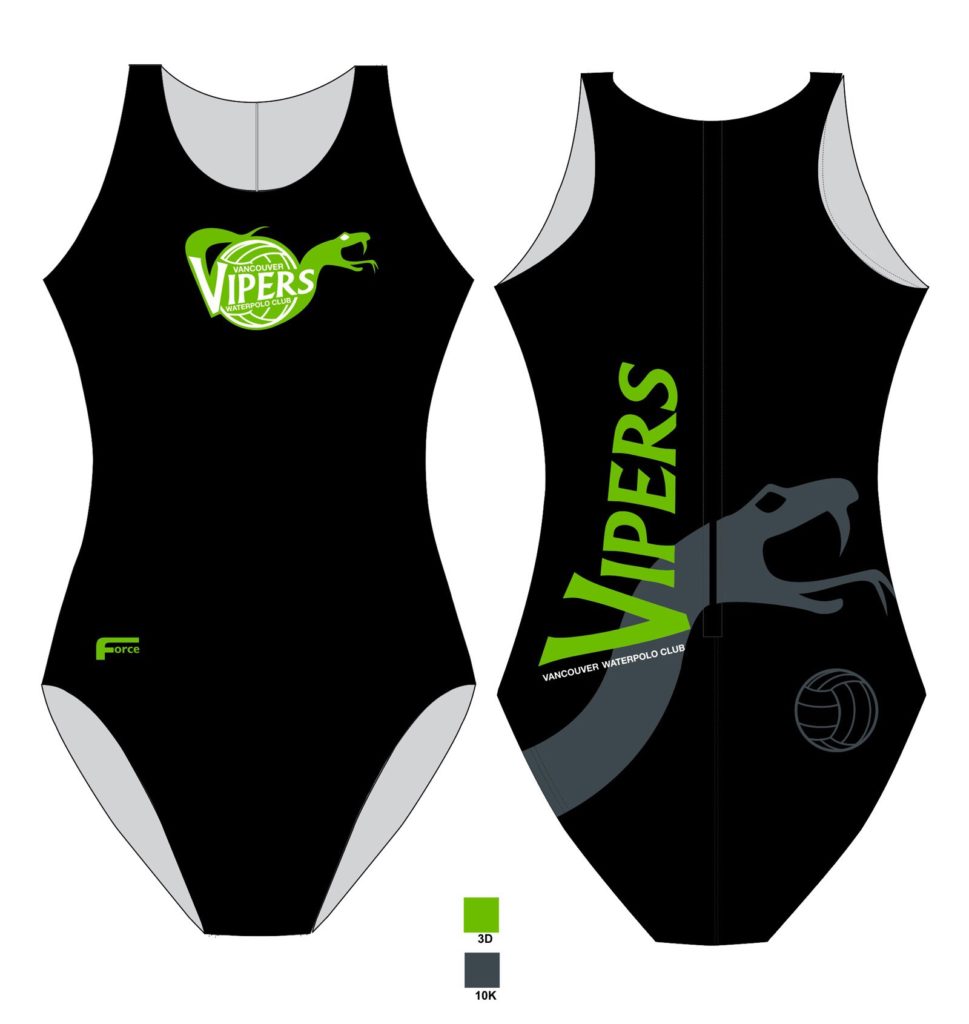
One-piece sizing chart
| hips in cm | 66 | 71 | 76 | 79 | 84 | 89 | 94 | 99 | 104 | 109 | 114 |
| waist in cm | 56 | 58.5 | 62 | 65 | 67.5 | 70 | 72.5 | 76 | 80 | 84 | 86.5 |
| bust in cm | 61 | 64 | 69 | 74 | 79 | 84 | 89 | 94 | 99 | 104 | 107 |
| size | 4XS | 3XS | 2XS | XS | S | M | L | XL | 2XL | 3XL | 4XL |
Merch
Team hoodies, long-sleeved and short-sleeved t-shirts, and joggers/sweatpants are available for purchase.
For more info, email our volunteer at: fundraising@vancouverwaterpolo.com.
Spond User Guide
Spond is the app Vipers uses for team communication, schedules, RSVPs, and updates. Parents and guardians should download the free Spond app from Google Play or the App Store.
With Spond, you can also synchronize events to your phone’s calendar, iCal (iOS) or Google Calendar (Android).
Joining the Vipers Group
To join the Vipers group, you will receive a direct invite at the start of the season. After receiving the invite, register as a parent or guardian.
If you haven’t received a direct invite, please request the link / group code from Head Coach Erik at headcoach@vancouverwaterpolo.com. Please include your player’s name and team.
For security reasons, we don’t post the code on our website.
Registering as a Parent or Guardian
When registering, create your own parent or guardian profile first using your own name, email, phone number, and birthday. Then add your child as the athlete with their own name and birthday.
Important: Do not put your contact information on your child’s profile. This can cause notification issues, duplicate profiles, and messages appearing under the wrong name.
To register as a parent or guardian:
- Create your own profile.
- Enter the Vipers group code or use the join link.
- Select I am a parent.
- Add your child’s name and birthday.
- Add any other guardians if needed.
- Only add your child’s email or phone if they will use Spond themselves.
- Tap Done.
Your request is sent to a club admin for approval. Once approved, you will receive an app notification and can view your athlete’s events.
Synchronizing with your Calendar
To synchronize Spond with your calendar, please go to Spond’s knowledge article: Calendar Synchronisation | Spond App.
Adding More Than One Athlete
One parent profile can manage multiple athletes. Add each child as their own member in the group, leave their contact details blank unless they will use Spond, and add yourself as the guardian for each child.
Athletes with their own Accounts
Older athletes may want to manage their own event responses. They should download Spond and create a new profile. The group admin can then add their contact information to give them access. Parents may stay listed as guardians or let the athlete manage responses independently.
Events, Training, and RSVPs
Coaches and club admins use Spond events for practices, games, and other schedule updates. Athletes are placed in subgroups based on their training group, which determines the events they and their guardians can see.
Tap an event in the app to see details. RSVP requests are usually sent up to 14 days before practice. Please respond when possible so coaches can plan attendance.
Messages
Use Spond messages for team communication, coach updates, and quick questions.
- Open the app and tap Messages.
- Tap the plus button.
- Choose your group and recipient.
- Type your message or attach a photo or file.
Quick Tips
- Keep parent contact information on the parent profile only.
- If a child appears as “already exists,” ask an admin to check for duplicate contact details.
- Check your spam folder if you do not receive a verification email.
- You can edit your profile anytime in the app or at spond.com.
Need Help?
For quick questions, message Head Coach Erik on Spond.
For longer questions, email Headcoach@vancouverwaterpolo.com.
For concerns that require club support, please contact one of our volunteers, see Contact Us.